Approximately Games · Full release (1.0)
Approximately Up Guide & Reference
Approximately Up guide: 16 named worlds, all 22 achievements, 61 blocks and every patch since launch — each traced to a Steam source.
 Official Trailer
 Flight Log
Latest Updates
- MAJOR Patch 1.0.110 adds Undo/Redo with 200 steps of history, and flags any unconnected component in H mode — the fix for ships that broke apart mid-flight. Magnetometer power draw drops from 15 P/s to 5 P/s.
- MAJOR Patch 1.0.104 adds two blocks: Space GPS, which outputs coordinates relative to the Sun, and the Massmeter, which weighs your ship and updates after decoupling. Both are mission rewards — Tree Lid on Baobara and Operation Ghostfire on the Moon.
- MAJOR Patch 1.0.100 brings Pause and Fast Forward at 3x to the Time Controls menu, in singleplayer and multiplayer, and improves overall performance by around 10%.
- The developer answers the question everyone was asking: Approximately Up will keep receiving significant updates for at least the next 3-5 years, with mirroring, undo and a weight-measuring block named as near-term additions.
- MAJOR Approximately Up 1.0 launches on Steam at $24.99, with a 20% intro discount for the first 10 days.
What is Approximately Up?
Approximately Up is a modular spaceship building sim by Approximately Games — one developer, five years of work — released on PC (Steam, Windows) on August 6, 2026. You bolt a ship together from frames, thrusters, meters and hand-wired logic blocks, fly it first-person from its own deck, and take it across a system the store page calls 15 planets on delivery and exploration objectives. Nothing is abstracted: power, data routing and attitude control are all things you cable up yourself, which is why most flights end in a crater before they end in a landing.
This site indexes what that system is actually made of. The planets page lists every world named in a source you can open — and marks the six that only players have named so far. The parts reference covers 61 blocks grouped by what they do, with the patch that changed each one. The missions page separates objectives the developer has named from the ones players are stuck on with no published description, and all 22 achievements are transcribed with their exact unlock conditions. The developer shipped 12 patches in the first 26 days, so the updates page is rebuilt whenever a new build lands.
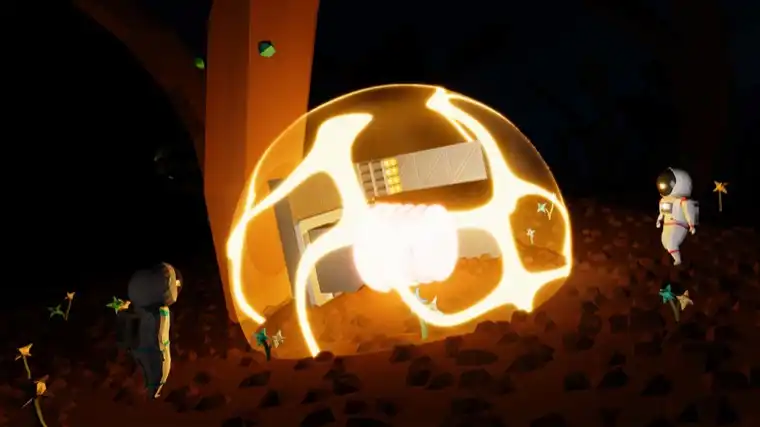
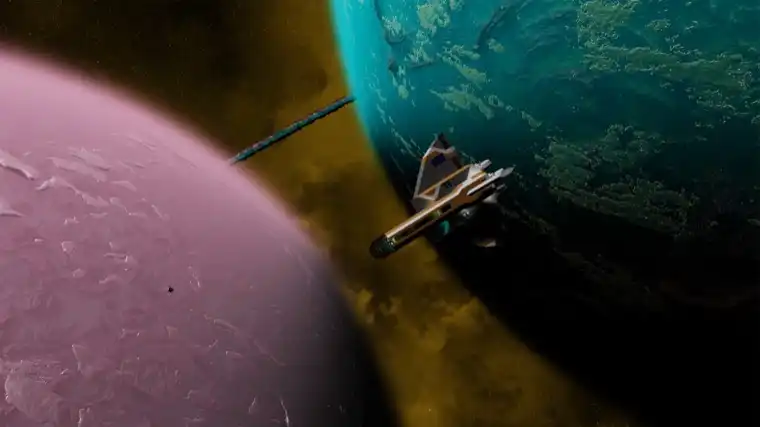
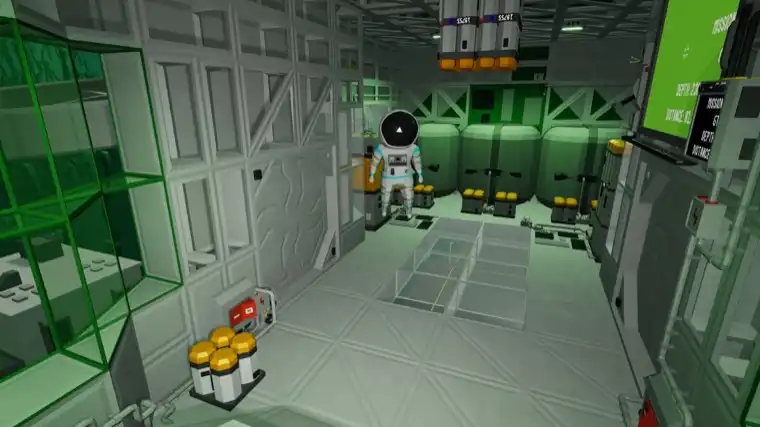
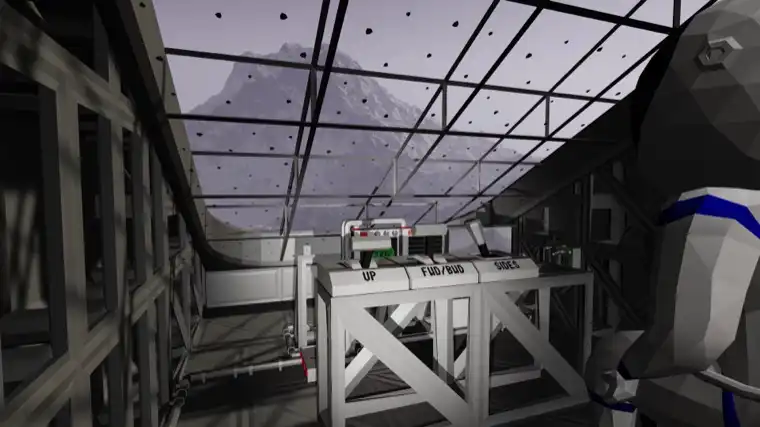
Approximately Up Screenshots
Pre-Flight Check
Get Started in 5 Steps
- Finish the tutorial on Earth. It ends with the sheep run to Headquarters, and it is where the build controls stop being abstract. The published keybinds are here.
- Build something that survives its own thrust. Frames first, then RCS for attitude, then power — in that order. The parts reference groups blocks by the job they do.
- Mount an altimeter and a gyro-line before you try to land. Both are in the S and A tiers for a reason: you cannot correct a descent you cannot read.
- Land on the Moon. It has an atmosphere, which is the single most common reason a first Moon attempt ends badly. What is on each world is here.
- Automate the boring part. Hover, the Braking Point System and logic-gate landings are what turn a 20-minute approach into a repeatable one. Start from the objectives you are stuck on.
Instrument Panel
Tools & Live Data
All Planets
Every named world and celestial body, with what unlocks there.
DATAParts & Blocks
Searchable reference for thrusters, meters, logic and cabling.
LISTMissions & Objectives
Named objectives, where they start and what they reward.
LISTAchievements
All 22 Steam achievements with exact unlock conditions.
TIERParts Tier List
Which thrusters, sensors and logic blocks earn their mass.
SPECSSystem Requirements
Minimum PC specs and Steam Deck status.
Hangar Index
Full Guide Index
Worlds & Routes
- All Planets & Bodies — every named world, split by whether the developer named it or players did
- Missions & Objectives — what each named objective asks for, and which ones nobody has documented
- Approximately Up Black Hole Tunnels Explained — Two achievements define the network: one for activating a tunnel, one for travelling through it to a new universe. That second word reshapes the map.
- Approximately Up Moon Landing: How to Get There and Land — The Moon has an atmosphere, which breaks the thruster setup that got you off Earth. Approach order, instruments, and why you overshoot.
Building & Parts
- Parts & Blocks Reference — 61 blocks grouped by job, with the patch that changed each
- Parts Tier List — which blocks earn the mass they cost you
- Approximately Up Blueprints & Steam Workshop Guide — How blueprints and the in-game Workshop work, the sorting bug fixed in 1.0.010, and the one saved setting that used to go missing from every blueprint.
- Approximately Up: How to Build Your First Ship — The mounting order that gets a first ship off the ground — frame, RCS, power, then instruments — and the four blocks that decide whether it lands again.
- How to Play Approximately Up: A Beginner's Guide — What kind of game this actually is, the first hour in order, and the five things that go wrong for everyone before anything goes right.
- Approximately Up Save System & Time Rewind — Save Anytime is an official Steam feature; Time Rewind is separate, with two achievements for never using it. Plus the keybind bug 1.0.105 fixed.
Systems & Automation
- Approximately Up Braking Point System (BPS) Guide — What the BPS does, the negative-value behaviour added in patch 1.0.010, and why players build their own versions of it out of logic blocks.
- Approximately Up Wiring & Logic Gates Guide — How power and data routing actually work, which logic blocks exist, and the two gate bugs that made early builds behave wrongly through no fault of yours.
- Approximately Up Hover Mode & Auto-Hover Guide — Hovering is a control loop, not a block: read altitude, compare, vary thrust. The blocks each step needs, and the switch that breaks it.
- Approximately Up RCS Thrusters: Why They Fail — The most-searched failure in this game has four causes — including a real bug where Yaw and Roll were swapped on the controller panel.
- Approximately Up Troubleshooting: Fixes That Work — Published causes behind the most-reported failures — including the patch note explaining why ships came apart in flight for no visible reason.
- Approximately Up Radar & Navigation Guide — Radar finds objects near you; the Space GPS added in 1.0.104 gives absolute position — but only mounted outside with 60% clearance.
Game Info
- All 22 Achievements — exact unlock conditions, grouped
- Patch Notes Archive — every build since launch, with what changed
- Controls & Keybinds — only the keys the developer has published
- System Requirements — and why the CPU matters more than the GPU here
- Is It Worth It? — the Steam score, what players praise and what they complain about
- Release & Platforms — console and Steam Deck questions answered honestly
- Approximately Up Demo vs Full Game: What Changed — The demo ran six months as an open beta and was pulled before launch. What it held, what 1.0 added, and whether anything carries over.
- Approximately Up Mods & Steam Workshop: What Is Official — Steam Workshop is an official feature of this game. Code mods are separate and unofficial — which decides what survives the next patch.
- Approximately Up Multiplayer: Co-op & Crossplay — Four players, online co-op, Steam only. What works in multiplayer, the version-mismatch message added in 1.0.005, and the crossplay answer.
FAQ
What is Approximately Up?
A modular spaceship building sim by Approximately Games, released on Steam on August 6, 2026 for $24.99. You bolt a ship together from frames, thrusters, sensors and logic blocks, fly it first-person from its own deck, and take it to a system of planets on delivery and exploration objectives — solo or in online co-op with up to four players.
How much does Approximately Up cost?
$24.99 USD on Steam, with regional pricing applied. It launched with a 20% intro discount to $19.99 for the first 10 days, which ended on August 16, 2026. There is no free version — the demo was removed from Steam shortly before the full release.
Is Approximately Up the same thing as Space Engineers?
No, and the comparison shows up often enough that people search for it directly. Both are modular ship builders, but Approximately Up is a single-developer game built around first-person flight from your own deck, an in-game logic and cabling layer you wire by hand, and a fixed set of named planets with objectives. There is no shared codebase, publisher or studio between the two.
About This Site
Approximately Up Guide is an independent, unofficial fan resource for Approximately Up players — not affiliated with Approximately Games.
- How we verify: Every part name, mission name and planet name on this site is traced to a primary source: the Steam achievement list for app 3904850, the developer patch notes, or the in-game manual entries those notes describe. Where two sources disagree — the store page says 15 planets, the March 2026 devlog said 17 — both numbers are printed with their dates instead of one being quietly picked.
- Update cadence: Approximately Up shipped 12 patches in its first 26 days, so the Updates page is rebuilt from the Steam news feed whenever a new build lands, and the Parts page is re-checked against that patch note the same day. Values changed by a patch (the Magnetometer dropping from 15 P/s to 5 P/s in 1.0.110) get the version number that changed them.
- What we don't do: No invented block stats, no fabricated planet count, and no numbers copied from another fan site. Anything only visible inside the game that has not been published by the developer is marked as not published rather than guessed at.